
NoteGPT Subscription and Payment
How Can I Request a Refund?
If you need a refund, please send email to [email protected] with the information below:
- Payment email
- Reason for refund
- Receipt
We will process it as soon as possible.
For a better product experience, if you have any questions or suggestions, please let us know!
You can also join our discord server to contact us. Your feedback is very important!
How do I cancel the subscription?
Cancel the annual plan: Since the annual plan does not renew automatically, you do not need to cancel manually.
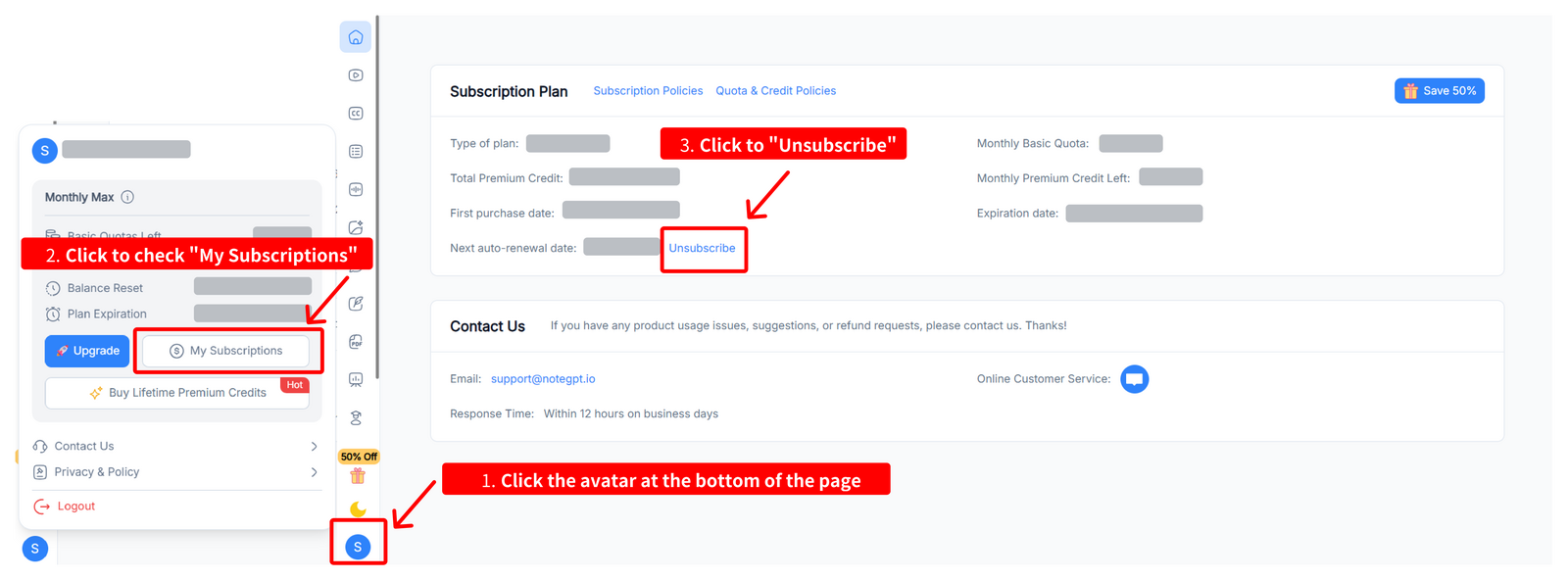
Cancel the monthly plan: You can cancel the subscription on the page "My Subscriptions".
You can check our Subscription Policies for more details.
For a better product experience, if you have any questions or suggestions, please let us know!
You can also join our discord server to contact us. Your feedback is very important!
Why Am I Still Asked to Upgrade After Paying for a Subscription?
If you’ve already subscribed, please first make sure you are logged into the correct account.
We recommend logging out, refreshing the page, and then logging back in to ensure your subscription is properly recognized.
If the issue still persists, please contact us and help us investigate further by providing the following details:
- Which page or feature were you using when the issue occurred?
- Did you see any error messages?
- Could you share a screenshot or screen recording?
- The email used for payment and your NoteGPT login email
Thank you for your feedback — we’re here to help!
Is there any subscription discounts for students or schools?
Education accounts can get the "Education plan" for free for 1 month. You can obtain it by following the steps below:
- Use EDU email to register and log in
- Enter the "Education plan" offer page
- Click "Get 1 mouth Free Now"
If you’re applying for an education plan but your school does not provide an .edu email address, you can still request access.
Please send us a document that verifies your student or teacher status, along with your email address, to our official support email: [email protected]
Once your information has been reviewed and verified, we will grant you access to the Education plan.
Don't forget to share this message with your teachers and friends. The AI-powered summarization and generation can help everyone improve their learning and work efficiency!
How Do I Request an Invoice?
If you need an invoice, please contact our support team at [email protected] with the following information:
- The email address used for payment
- A copy of your receipt or proof of payment
Once we receive your request, we will review the details and assist you with issuing the invoice.
How do I change the payment method?
To change your payment method, you’ll need to update it when starting a new subscription.
First, cancel your current subscription to stop the next renewal. Your existing plan will remain active until the end of the billing period.
Once your subscription has expired, you can subscribe again and choose a new payment method during checkout.
How do I know how many quotas or premium credits are left?
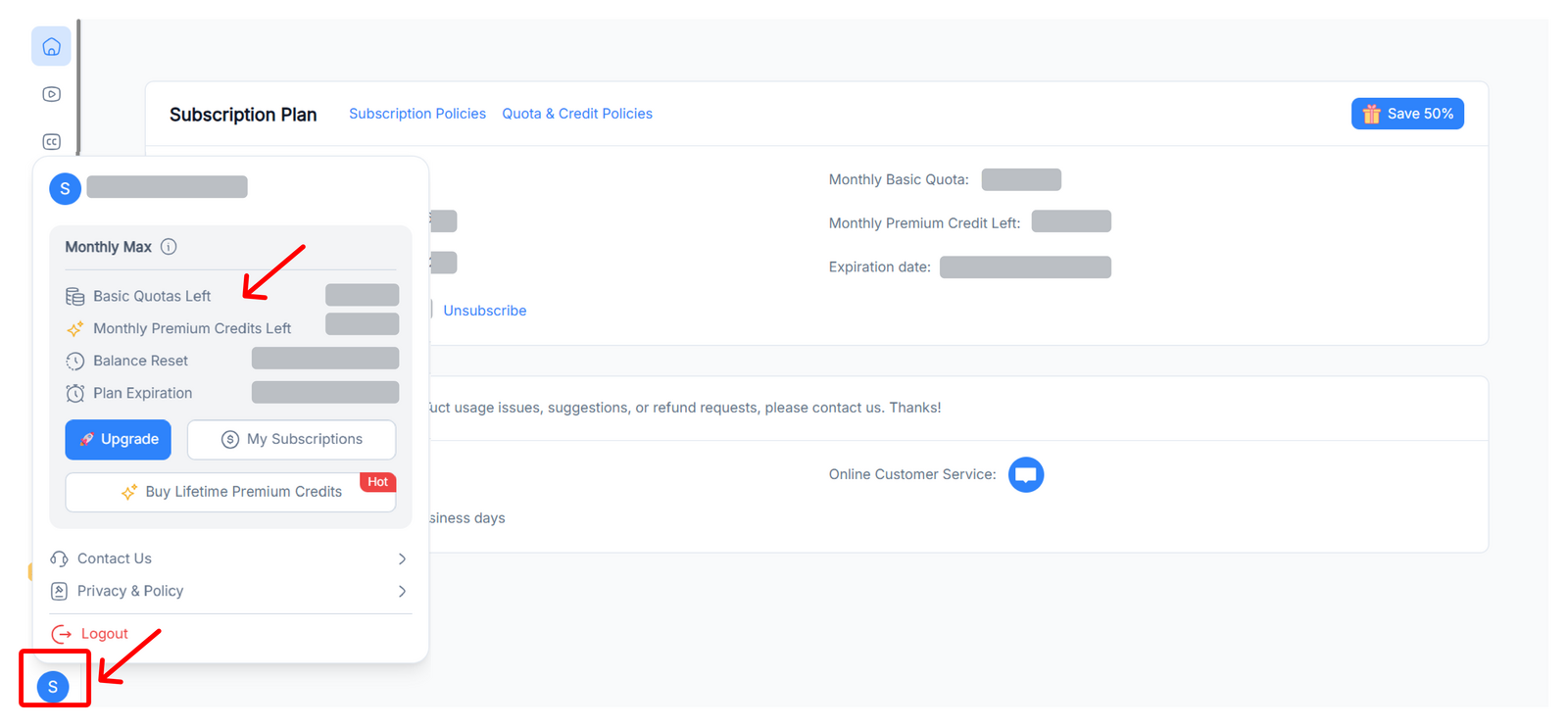
Click the avatar at the bottom of the page then you can see the quotas and premium credits left.
What payment methods are supported?
NoteGPT supports multiple payment methods depending on your region.
You can view the available payment options on the Pricing page before completing your purchase.
How Do I Know the Quota Consumption?
Different features consume varying amounts of quotas and credits, depending on the type of task and the amount of content being processed.
You can view the detailed quota and credit deduction rules on the Quota & Credit Policies page.
To check your remaining quotas and usage, please visit the My Subscriptions page.
If you use NoteGPT regularly, you may consider choosing a subscription plan that best fits your usage needs.