
NoteGPT Features: Common Questions and Answers
How can I customize the summary prompt?
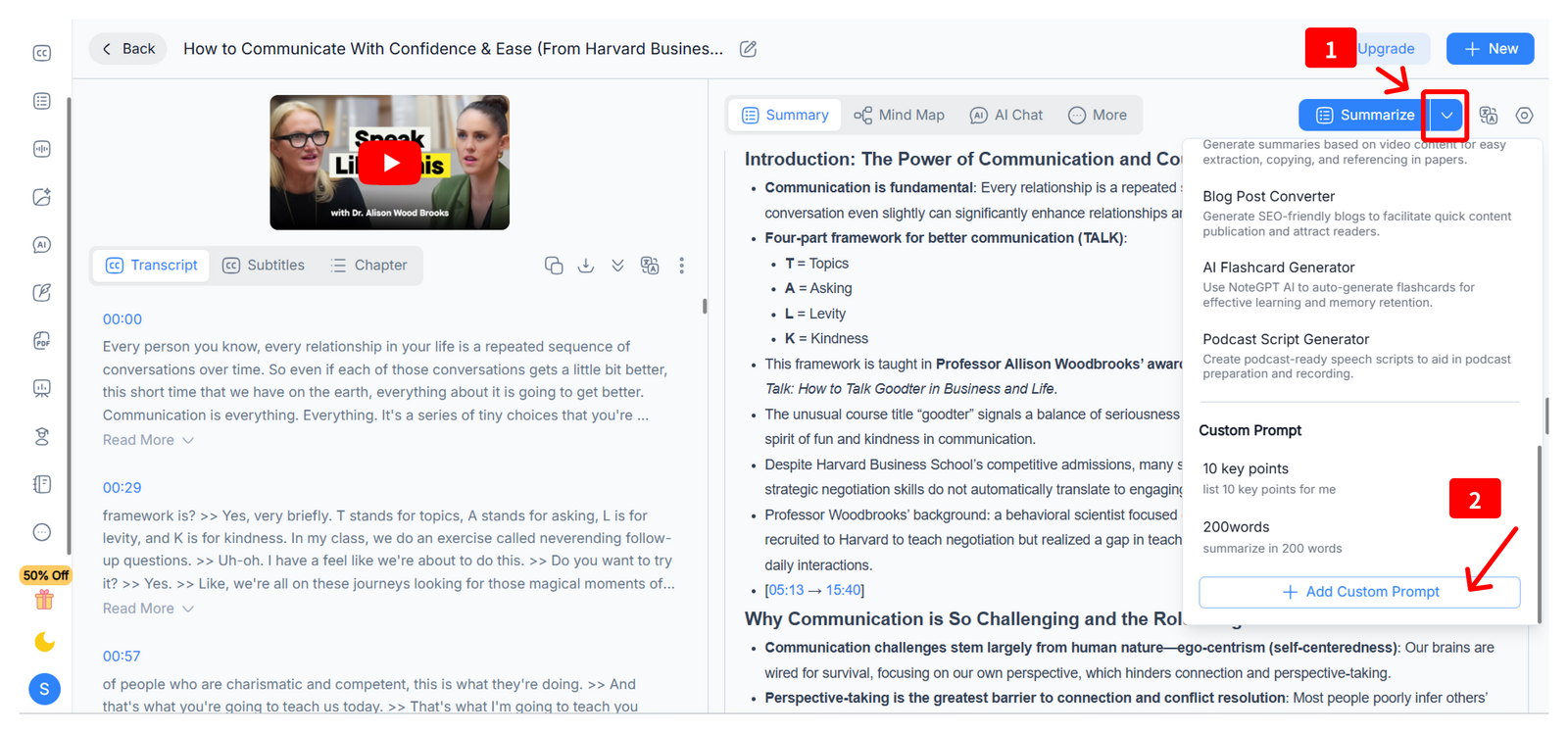
On the detailed page of your note, there're ways for you to costomize the summary prompt:
- Click the down arrow next to the "Summarize" button and scroll to the bottom, then you will see "Add Custom Prompt", click it so you can write down your prompt.
- Click the "Setting" icon then you can see the Summary Setting, click and scroll to the bottom of "Default Prompt", then you can Add Custom Prompt.
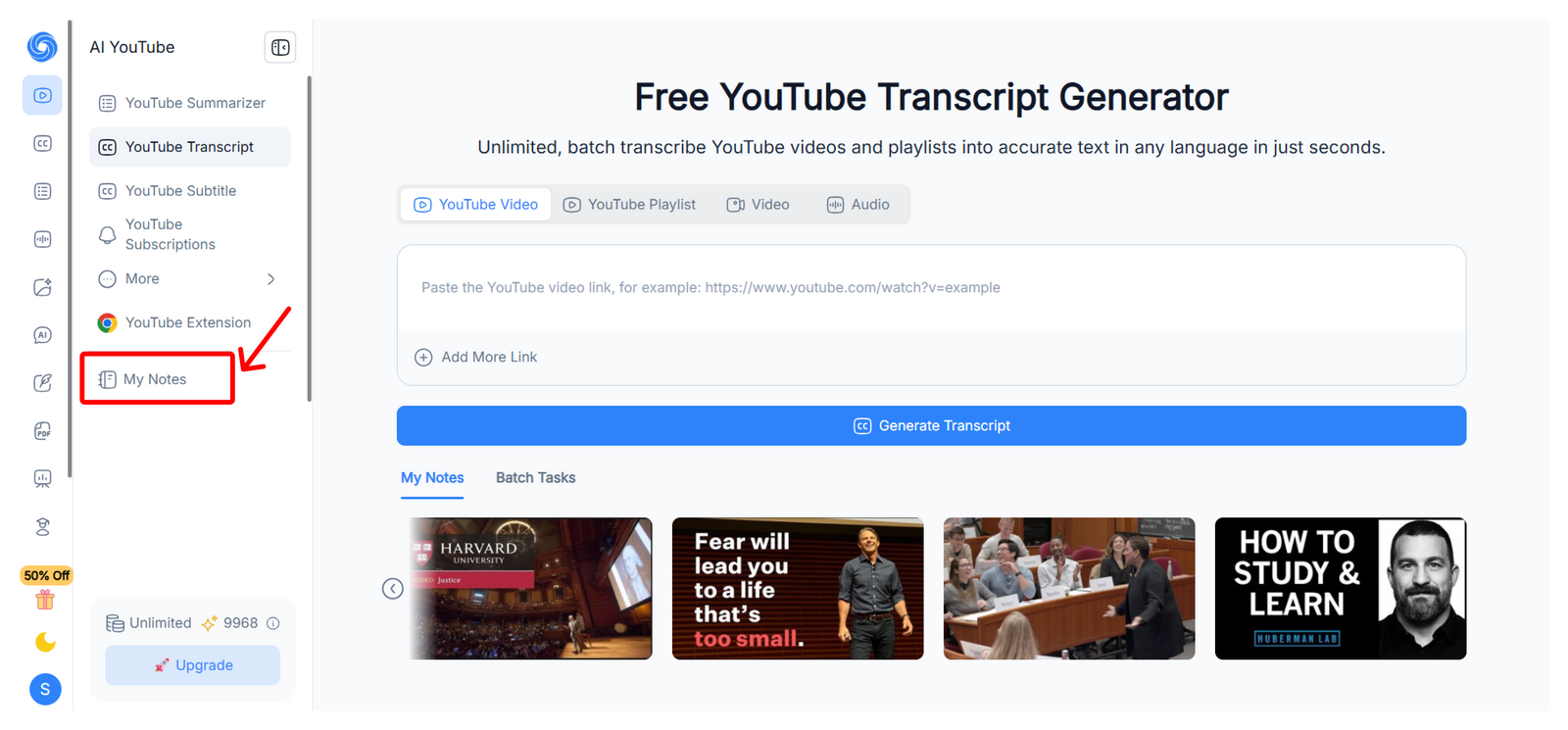
How do I fine my notes?
You can access your notes in the “My Notes” section, available under both the AI YouTube and AI Transcriber menus.
How Do I Set the Summary Language in NoteGPT?
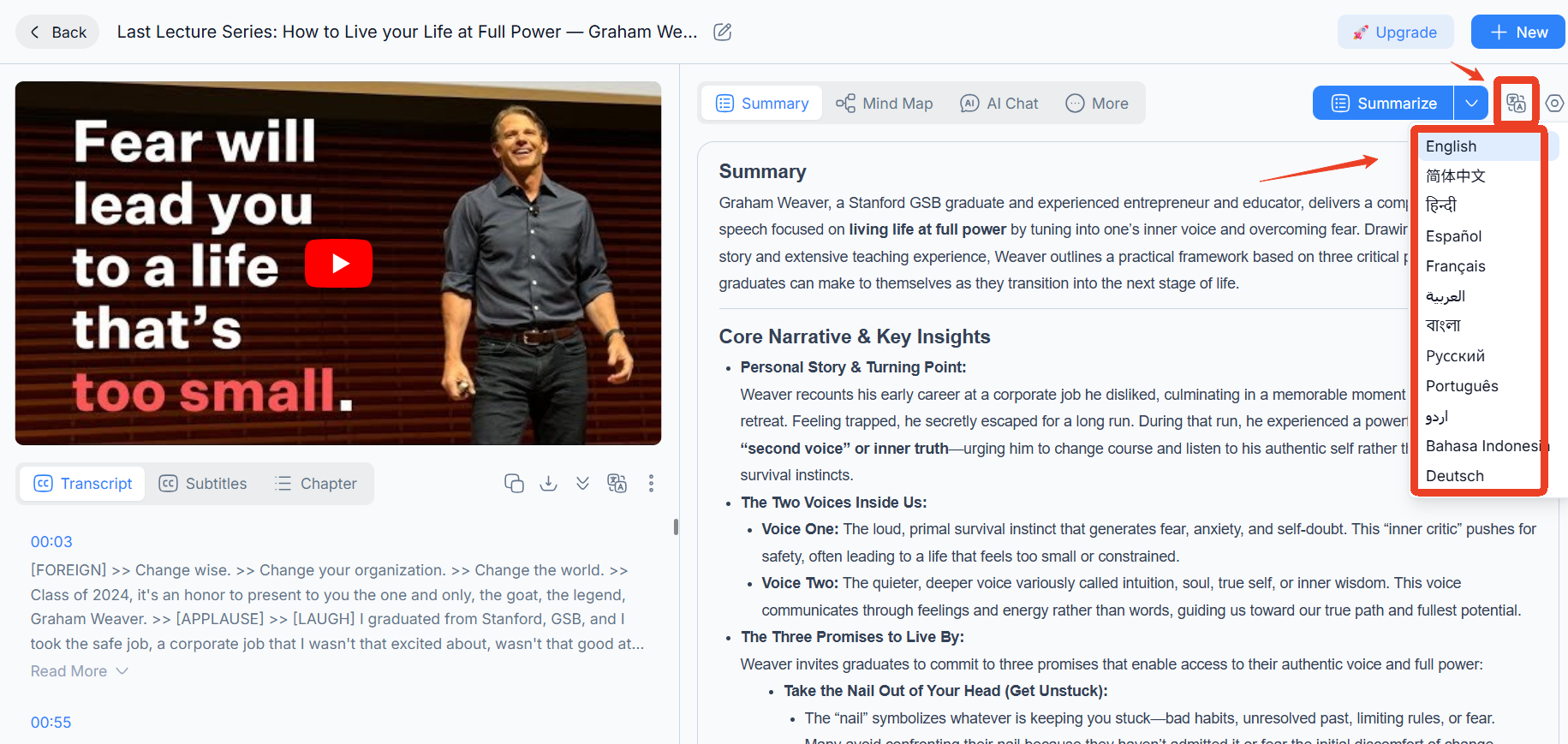
You can quickly change the language for your AI-generated summaries directly from the note interface:
- On the note detail page, locate the language icon at the top of the note or summary panel.
- Click the icon and select your preferred language from the dropdown menu.
- The summary will be generated in the selected language immediately.
How Do I Use My Cloned Voice in NoteGPT?
To use a voice you’ve cloned in NoteGPT:
- Make sure your voice has been successfully cloned and saved in “My Voices.”
- Go to the Text to Speech page.
- When selecting a voice, open the “My Voices” dropdown.
- Choose your cloned voice and generate audio as usual.
Why Is My Podcast Taking a Long Time to Generate?
Longer scripts may increase generation time. Tips to reduce time:
- Break long scripts into smaller sections and generate multiple shorter episodes.
- Ensure your internet connection is stable for smoother generation.
- Avoid uploading extremely large files all at once; process them in parts if needed.