
NoteGPT Account: Common Questions and Settings
How Do I Delete My Account?
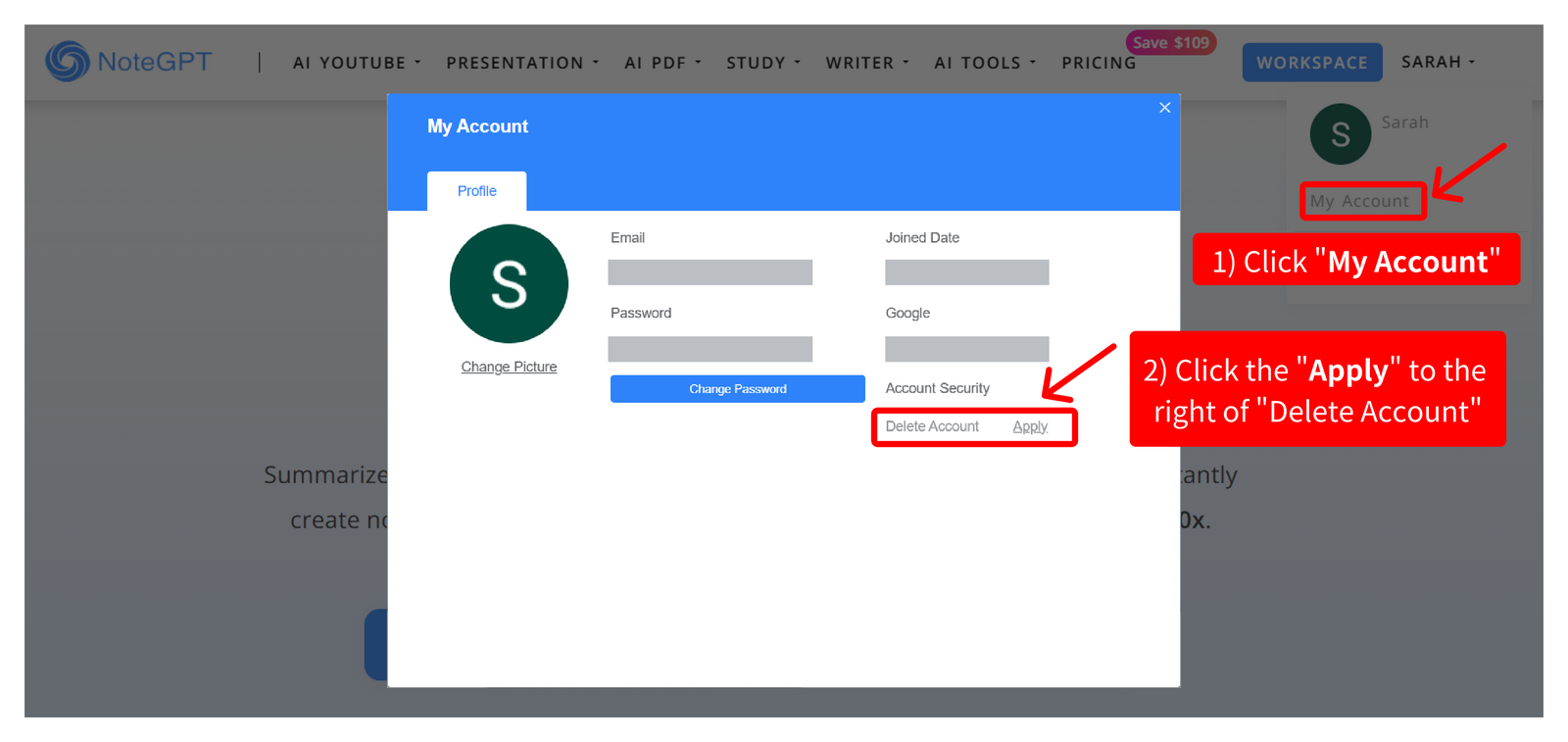
If you’d like to delete your account, please follow these steps:
- Go to the Privacy page and click your account name in the upper right corner
- Select “My Account” to access your account details
- Find the “Delete Account” option and click “Apply” to submit your request
Please note that once your account is deleted, this action cannot be undone. All associated data and access will be permanently removed.
How to change the login method?
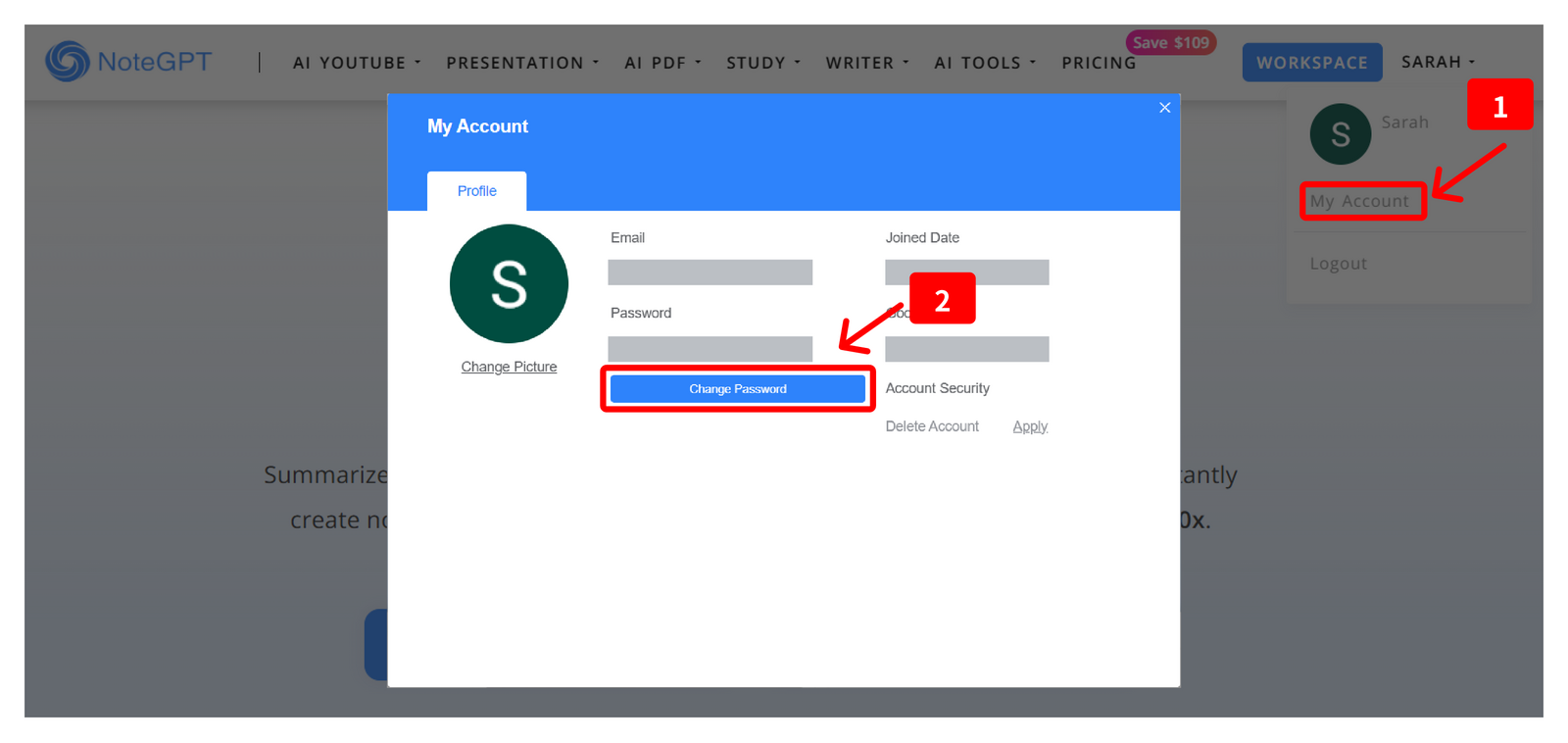
To change your login method and set a password for your account, please follow these steps:
- Go to the Privacy page and click your account name in the upper right corner
- Select “My Account” to open your account settings
- Click the “Change Password” button and set a new password
Once your password has been set, you will be able to log in using your email address and password.
How Do I Change the Login Email?
Currently, changing the login email address is not supported.
We recommend continuing to use the email address associated with your account when signing in.